
Profittracking forVinted sellers
Your Vinted sales, stock and profit in one dashboard. No spreadsheets.
Your whole Vinted business, in one place
Everything you need to run your shop properly, from buying stock to filing your tax return.
Orders
Profit on every sale, worked out for you
Every Vinted order lands with its profit and margin already calculated from what you paid for the item.
- Estimated dispatch deadlines, so nothing ships late
- Pick sheets, printed in a click
- Filter by shipping or payout status in a second

Inventory
Know exactly what your stock is worth
Every listing with its cost, SKU and the profit it will make, plus the stock you've bought that hasn't arrived yet.
- Stock value, money invested and potential profit, totalled
- Log hauls before they arrive and get cost per item
- Split what a bundle cost across its items in one go

Suggestions
Know what to do next with every listing
Vintally checks your offers and listings against your own rules and says what to do: accept, counter, drop the price or relist. You make the change on Vinted.
- Every offer with the profit it would make you
- Price drops that never go below your minimum margin
- Relist reminders for stock nobody is looking at

Inbox
Buyer messages and offers, next to your sales
Your recent Vinted conversations sync in with everything else, with offers flagged so none sit unanswered.
- Offers highlighted with the price the buyer wants
- Suggested replies to copy into Vinted
- Read-only: nothing is ever sent without you

Analytics
See what's actually worth sourcing
Revenue, sell-through and margin over time, broken down by the categories and brands that make you money.
- Your best categories and brands by sales
- Every metric as a full graph over 6, 12 or 24 months
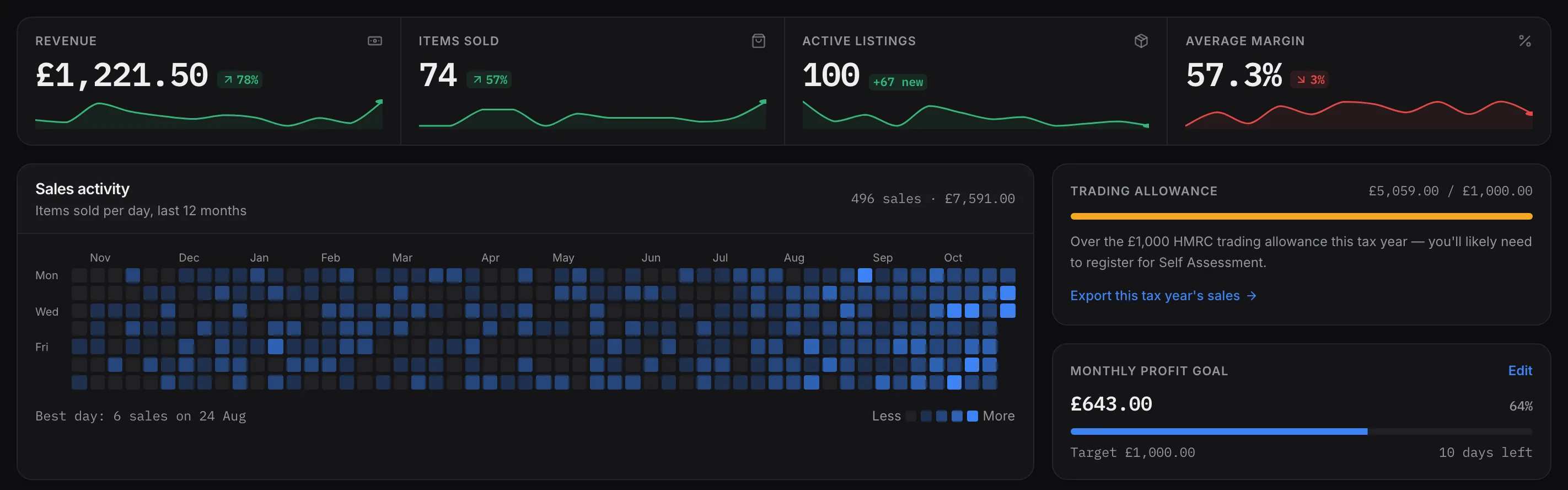
- A heatmap of every sale in the last 12 months

Tax
Tax time, already sorted
Record what you buy for the business alongside what you sell, and know where you stand with HMRC all year.
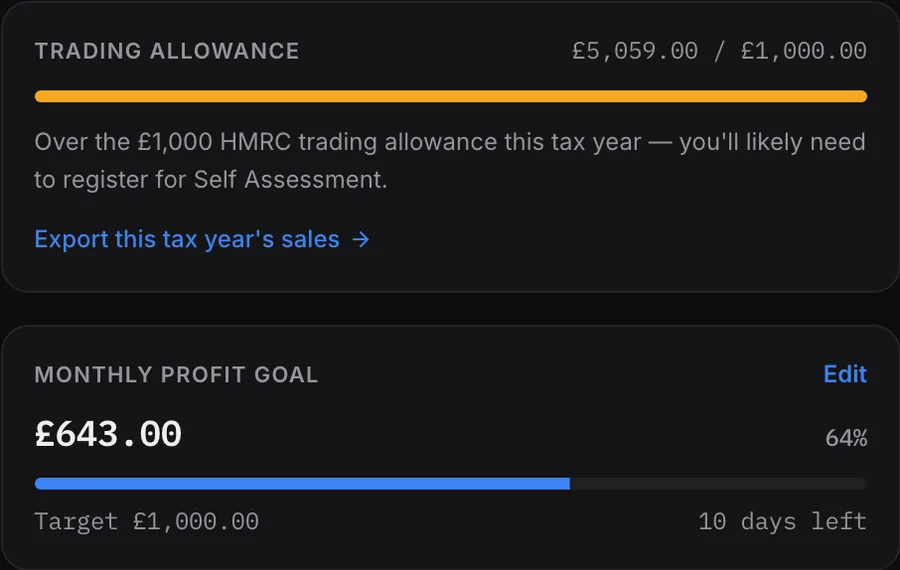
- A tracker for the £1,000 trading allowance
- Purchases, packaging and mileage in one buying record
- CSV exports ready for your accountant

Up and running in minutes
Three steps, then it looks after itself.
 1
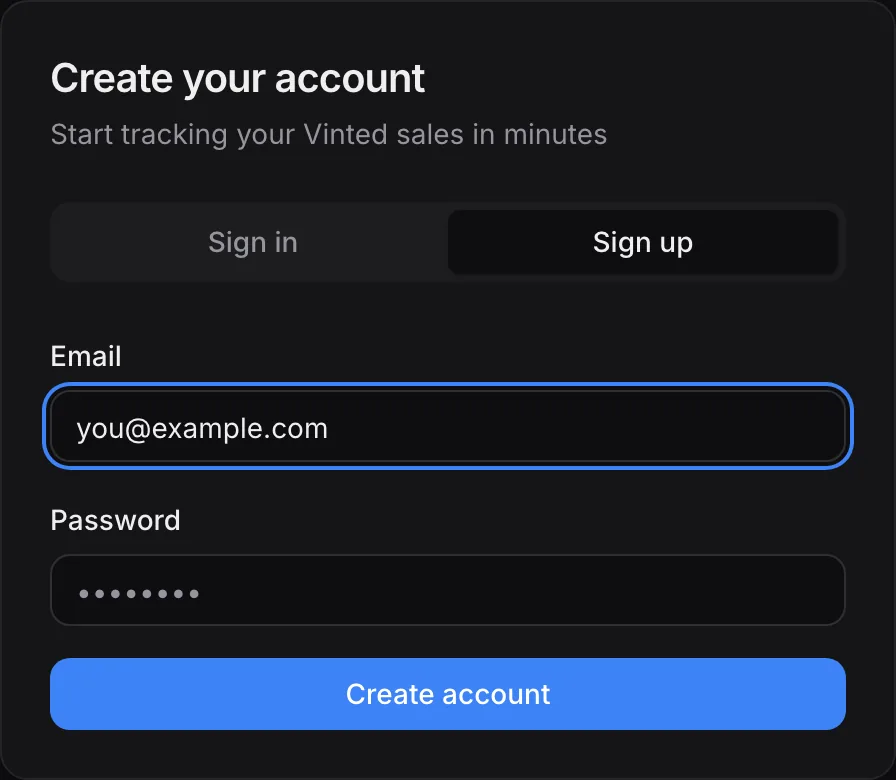
Create your account
Sign up in under a minute, then explore the full demo shop while you decide.
 2
Subscribe and add the extension
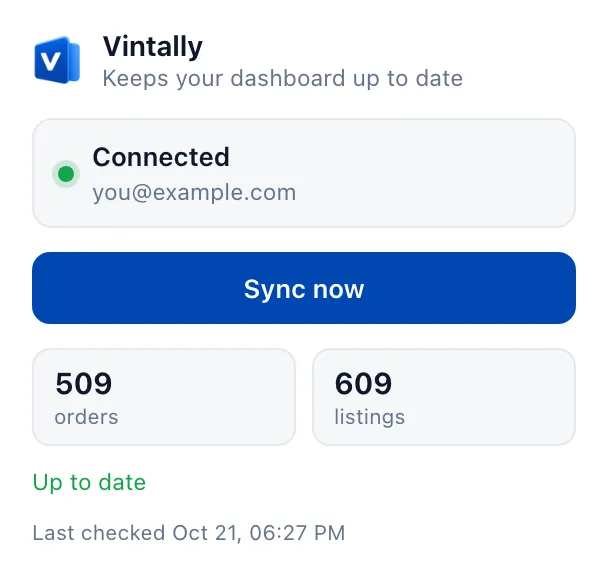
Pick a plan and add the Chrome extension. It reads your shop from the Vinted tab you're already signed in to, so there's no password to share.
 3
Your real numbers arrive
Your sales, listings and wallet sync in, then update themselves whenever you open Vintally.
Your Vinted account stays yours
Vintally reads your shop. It can't sign in as you, and it can't change anything.
- No password, ever
- The extension uses the Vinted tab you're already signed in to. Your Vinted password never reaches Vintally, and your login stays in Chrome, where the extension can't read it.
- Read-only
- It reads your listings, sales, messages and wallet balance. It never lists, edits, deletes, messages buyers or buys anything. Every price drop or reply is one you make on Vinted yourself.
- Only Vinted and Vintally
- Chrome only lets the extension reach vinted.co.uk and Vintally's own servers. It can't see your email, your bank or any other site you visit.
- Locked to your account
- Everything synced is tied to your account, so no other user can read your sales, costs or messages. Payments go through Stripe; we never see your card.
What Vintally keeps
- Listings and sales: item, price, date, the buyer's username
- Your Vinted messages and offers
- Your wallet balance and small copies of item photos
- Costs, SKUs and purchases you type in
What it never has
- Your Vinted password
- Bank or card details
- Delivery addresses
- Anything from outside vinted.co.uk
Your first week is on us
Your real shop, every feature, synced in two minutes. Pay nothing for 7 days, and if it's not for you, cancel before then and you're never charged.
Pro Monthly
For sellers treating Vinted like a business.
after your free week
- Dashboard & profit analytics
- Inventory & order tracking
- Unlimited photo background removal
- Incoming inventory & hauls
- Multi-year analytics & trends
- CSV & tax-ready exports
- Priority support
No charge until day 8. Cancel any time in Settings.
Pro Yearly
Save 43%Everything in Pro, £99 less than paying monthly.
after your free week
- Everything in Pro Monthly
- Works out at £10.75 a month
- One payment a year
- Cancel any time; it runs to the end of the year
No charge until day 8. Cancel any time in Settings.
Card taken at sign-up, first payment when the trial ends; cancel before then and you pay nothing. Free trial for new subscribers. Prices in GBP.
Stop guessing. Start knowing.
Run your Vinted shop on real numbers. Set up in two minutes, and your first 7 days are free.
What's new3 Nov 2026: Parcel tracking on every saleSee all updatesHide
3 Nov 2026
Parcel tracking on every sale
Open a sale in Orders to see where its parcel is: posted, in transit, at the sort facility, out for delivery, delivered, each with its time, plus a link to the carrier's own tracking page. Vintally now knows a parcel is posted from the carrier's scan, so To post clears the moment it's sent. It comes with the extension's latest update, which Chrome installs on its own.
3 Nov 2026
The bell clears when you open it
Opening notifications now resets the number to zero. It lights up again for something new: a sale, an offer, a message, or a parcel newly past its posting deadline. What's still waiting stays listed inside.
3 Nov 2026
Light, dark or match your device
Settings now has three looks: Light, Dark and System, which follows your computer or phone and switches with it. The monochrome Pro theme has gone; if you were using it, you're on Dark.
2 Nov 2026
Deleted listings leave your stock
Items you delete on Vinted used to stay in Vintally as active, so your stock count ran high. Now they move to Removed in Inventory, keeping any cost you typed, and your active count matches your Vinted profile. Bundles also show which items were in them, and listings get their category again after Vinted changed its item page. All of it comes with the extension's latest update, which Chrome installs on its own.
1 Nov 2026
More time ranges in Analytics
Analytics now covers this month, the last 30 days, the last 3 months, this year and all time, as well as 6, 12 and 24 months. Short ranges chart day by day and 3 months week by week, so a quiet patch or a busy weekend shows up.
1 Nov 2026
Add a cost to any sale
Vinted removes sold items after a while, and those sales couldn't take a cost, so they never counted towards your profit. Now every sale in Orders has an Add cost box, and a new "Missing a cost" filter lists the ones still to do.
1 Nov 2026
Bundles count properly
A bundle of three now counts as three items sold, and you can give its cost as one total. Open a bundle in Orders to see what was in it: the extension's next update reads that from Vinted, and then each item's cost adds up to the bundle's on its own. Pick sheets list every item to pack.
25 Oct 2026
Profit on the dashboard
The dashboard's top row now shows your profit for the period in place of active listings (still on Inventory). It counts the sales you've entered a cost for, and says so when that's only some of them.
25 Oct 2026
A new Settings page
Settings has a menu down the side and a card for each part: your plan and its dates, your connected Vinted shop and when it last synced, suggestion rules with a worked example that updates as you type, and your next SKU code on a tag. Amounts are always in pounds, since Vintally works with Vinted UK.
25 Oct 2026
Real posting deadlines from Vinted
Got the buyer to agree to more time? Vintally now shows Vinted's own send-by date and time for each sale, extensions included, instead of estimating 5 working days. It arrives with the extension's latest update, which Chrome installs on its own; until then deadlines are marked as estimates.
25 Oct 2026
Message the buyer in one click
Each sale on the dashboard's To post list and in Orders has a message button that opens that buyer's conversation on Vinted, handy for asking for more time or answering a question.
25 Oct 2026
Clearer graphs and one margin
The little graphs on the dashboard now show real days, weeks or months, start from zero, and draw margin to scale. Margin is now worked out the same way everywhere, on what items actually sold for, so accepted offers count.
25 Oct 2026
Smaller fixes
Search takes you to the exact item you picked. Pick sheets list SKU, size and condition. Share cards find your top brand on older sales too. And signing back in to Vinted gets your shop syncing again straight away.
21 Oct 2026
Size and condition in Inventory
Each listing now shows its size and condition, straight from Vinted. Syncs also ask Vinted for less: only what's changed is sent, in fewer, bigger reads.
21 Oct 2026
Your week, every Monday
A short email on Monday mornings: last week's sales, revenue and profit, your best sale, and anything waiting on you, like parcels to post or offers. Quiet weeks are skipped. Turn it off in Settings or from the email.
20 Oct 2026
Add costs where your sales are
Sales without a cost now have an Add cost box right in Orders, and behind "without a cost" in your since-last-visit line. Or log a haul in Purchases and assign it to the items it became, split evenly or by price.
20 Oct 2026
This year, and fewer odd numbers
The dashboard can show this year so far. Margin, potential profit and offers now only count what they should: items with a cost, and offers on things you still have.
20 Oct 2026
Vintally on your home screen
On your phone, add Vintally to your home screen and it opens full-screen like an app.
18 Oct 2026
Brands and categories for older sales
Sales Vinted has since deleted the details of now show a brand and category guessed from the title, marked so you know. Your charts stop lumping them into one big bar.
18 Oct 2026
What to post, first thing
Sold items you haven't posted yet now sit at the top of your dashboard, soonest deadline first. Cancelled sales, returns and suspended orders stay out of it.
18 Oct 2026
Image editor in your dashboard
Remove photo backgrounds without leaving Vintally. It's in the sidebar now, in your own theme.
18 Oct 2026
A quick tour, if you want one
Six stops on what's where in the dashboard. Take it any time from the account menu.
17 Oct 2026
Share cards
Turn a month, a year or your best flip into an image to post, with the amounts hidden if you'd rather. Milestones pop up as you hit them.
17 Oct 2026
Try any plan free for 7 days
Every new subscription starts with a free week. Cancel before it ends and you're not charged.
3 Oct 2026
Photo background remover
Put your items on clean white, grey or cream, several photos at once, ready for your listings.
1 Oct 2026
Suggestions
Price drops, relists and what to do with an offer, based on rules you set. You make the change on Vinted; Vintally never touches your account.
1 Oct 2026
Inbox
Your Vinted messages and open offers in one place, with reply templates to copy.
1 Oct 2026
Cost a whole bundle at once
Enter what you paid for a bundle and split it across the items, evenly or by list price.
28 Sept 2026
Syncs as soon as you open it
Your shop now updates the moment you open the dashboard, and every 3 hours in the background.
25 Sept 2026
Vintally on the Chrome Web Store
Install the extension, sign in to Vinted and import your shop in about two minutes.